OPNsense Virtualized
Using an open source firewall/router for my homelab setup
3 min read
Read TimeMay 1, 2026
Published OnIn my previous post I wrote that I wanted to try putting the three K8s clusters in different VLAN’s for network segmentation, and if that doesn’t work, then I’ll just enforce network segmentation using network policies on a namespace level.
So I set up the two VLAN’s for Prod and Non-Prod with DHCP and firewall rules in my router and configured the ports on my switch with native VLAN default for management and tagged VLAN traffic for Prod and Non-Prod, as per my network design.
However, while I could confirm with tcpdump that the DHCP Discover packets were leaving the VM correctly with the right VLAN tag on the physical NIC, I couldn’t get a reply from the DHCP. Even with DHCP Snooping disabled.
So after a good couple of hours troubleshooting, I decided to go with plan C.
Wait, what, there’s a plan C? Well, not initially, but I just wasn’t satisfied with the failure of plan A, so I gave a little bit more thought about how I could do it a little bit more elegantly than solely relying on network policies.
The “solution”: OPNsense, an open source firewall/router. What I find interesting is that OPNsense is actually a fork of pfSense, but also, OPNsense is developed by a Dutch company called Decisco. Now, I don’t know the history behind that name, but if you think about it, Cisco is a huge name in the networking space, and I just find it interesting that this company is called Decisco, as in opposites, like, register and deregister.
Alright, so what did I exactly do?
I created a new VM in Proxmox with OPNsense installed, then I created three linux bridges: vmbr1-3 for prod, non-prod, and infra, respectively, then I created another VM with Debian Xfce as a lightweight desktop environment to connect to the OPNsense web UI, I then set up the interfaces and subnets for the three clusters with DHCP and firewall rules, and I finally created another VM with Ubuntu Server on which I installed Harbor, created self-signed TLS certificates, and set it up as a proxy cache.
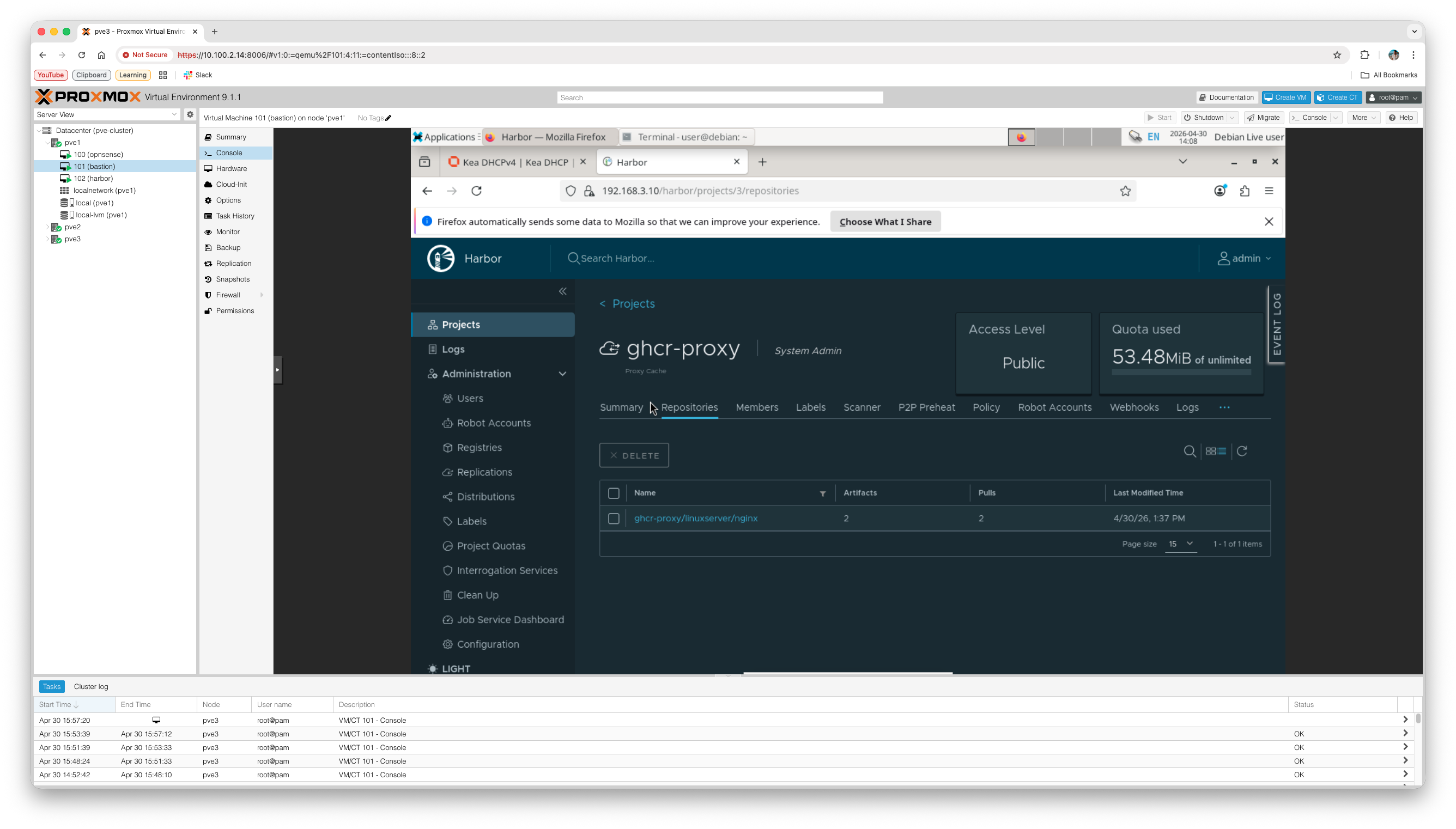
The plan is to set up Harbor, but also Keycloak for SSO and maybe some other services on a separate node outside of Proxmox, but this is just for testing purposes.
The next step is setting up the VM’s with Talos Linux.